


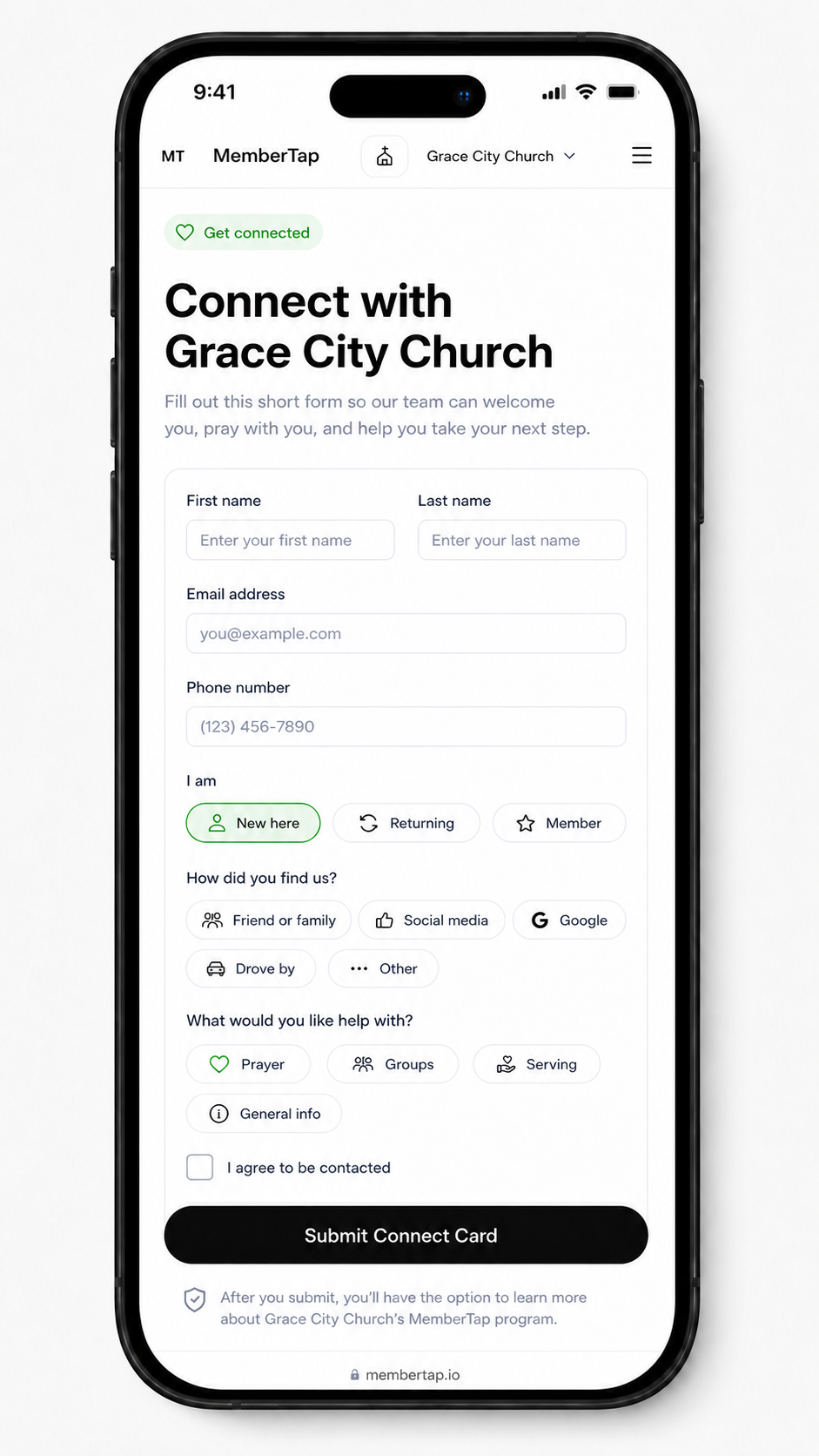
Digital connect card
A mobile form for guest info, prayer requests, group interest, serving interest, and follow-up requests.
MemberTap
Mobile first • Free forever • Pay what you can
Mobile-first workflow
MemberTap Core gives your church a mobile connect card, QR hub, people list, follow-up queue, and basic dashboard. Share one QR code, let people respond on their phones, then follow up during service or throughout the week with a clear next step for every person.
The free core flow
This is the practical workflow: put the QR code where people already look, collect responses on a simple mobile form, review the people list, and follow up with the right next step.
01
Put your church link on screens, bulletins, welcome tables, your website, or social profiles.
02
Guests and members can ask for prayer, join a group, serve, share contact info, or request follow-up.
03
Connection details land in one place your team can open from a phone during service or later in the week.
04
The queue shows who needs a welcome, prayer response, group invite, or next-step conversation.
Connect card
People do not need to download an app or wait for a desktop. They scan the QR code, open the connect card, and tell your church how to follow up.
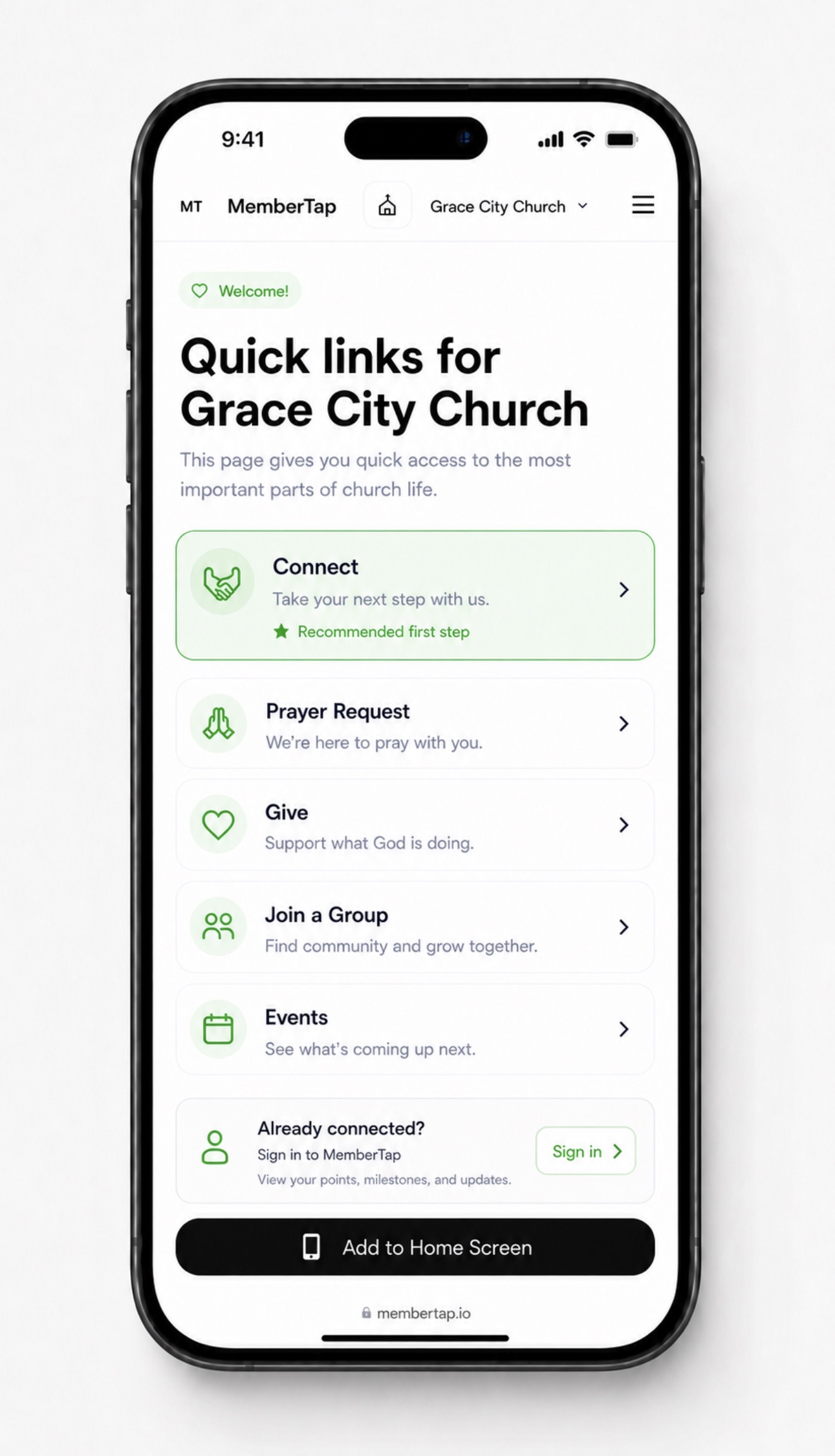
QR hub
Your QR hub gives people a clear place to connect, ask for prayer, find groups, learn about serving, or take another step your church wants to highlight.
What is included
The free version is intentionally focused on the tools most churches need first: capture connection, organize people, steward each response, and follow up quickly.
A mobile form for guest info, prayer requests, group interest, serving interest, and follow-up requests.
One simple destination for screens, welcome tables, websites, bulletins, and social profiles.
A simple place to review connection information without relying on paper cards or scattered notes.
A clear list of people who need a welcome, prayer response, group invite, or next-step conversation.
A mobile-friendly view of recent connections and open follow-up needs.
What your team does with it
After someone responds, your team can decide the next action: welcome the guest, respond to a prayer request, invite someone to a group, talk about serving, or help someone take a next step.
Share the QR code from the screen or welcome table and check new responses from a phone.
Review the people list and follow-up queue before names get lost in notes, texts, or paper cards.
Use the dashboard to see what is still open and keep follow-up moving without needing a desktop.
What is not in Free Core
Apple Wallet, NFC tap locations, check-in, events, points, SMS sending, custom branding, imports, multi-campus rollout, and team training are paid setup or advanced package items.
Useful for structured tap locations and pass-based workflows after the church is ready for setup.
Requires texting setup, permissions, compliance, templates, and delivery configuration.
Best handled with training so leaders understand what is being tracked and why.
Built for churches
MemberTap gives churches the highest-impact workflow for free forever, then offers implementation packages when a church is ready for more training-heavy systems.
Start free forever
Create your free church account
Use the core connection and follow-up workflow from your phone. Pay what you can only if you want to support the mission.
Start Free Forever Read the Mission